Creating Dynamic Groups based on link click activity within a timeframe
You can now create dynamic groups for profiles that have clicked a specific link within a defined timeframe. This feature helps you target users for follow-up campaigns, reminders, or engagement actions.
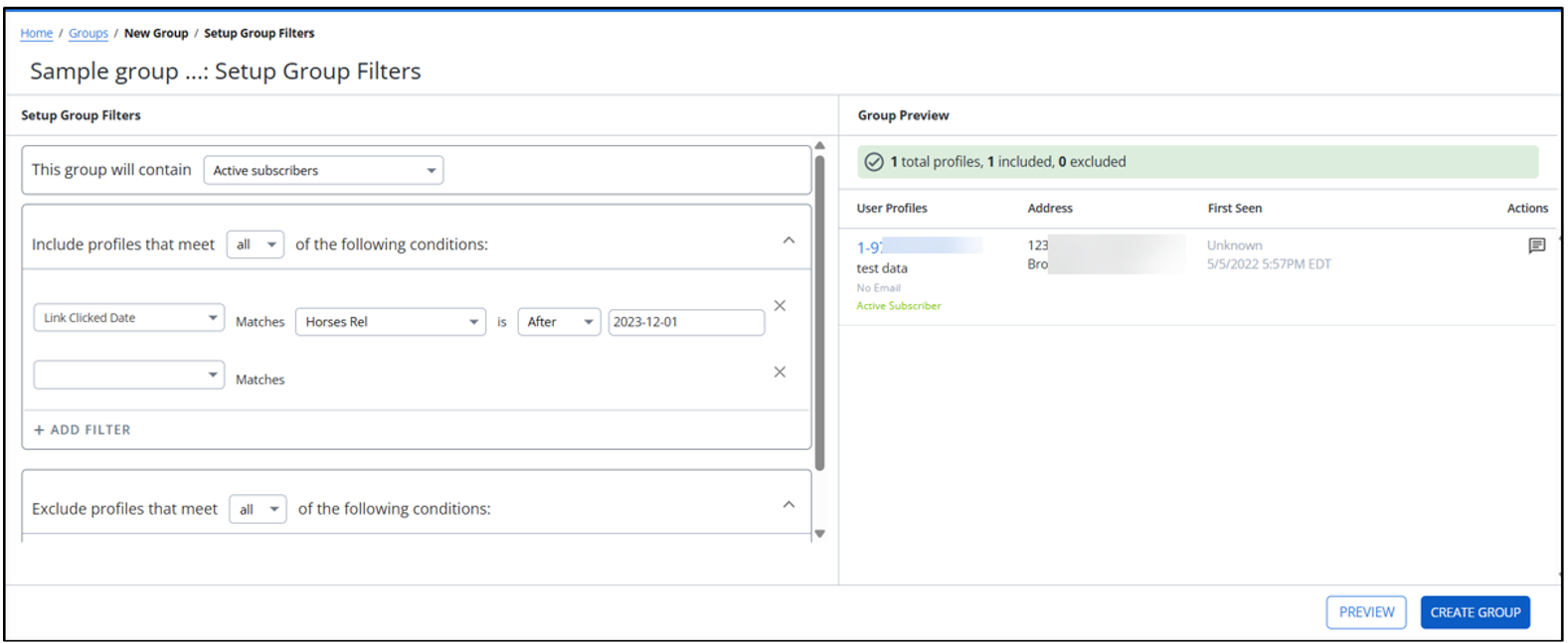
To create a dynamic group:
1. In the mCommons filter options, select Link Clicked Date.
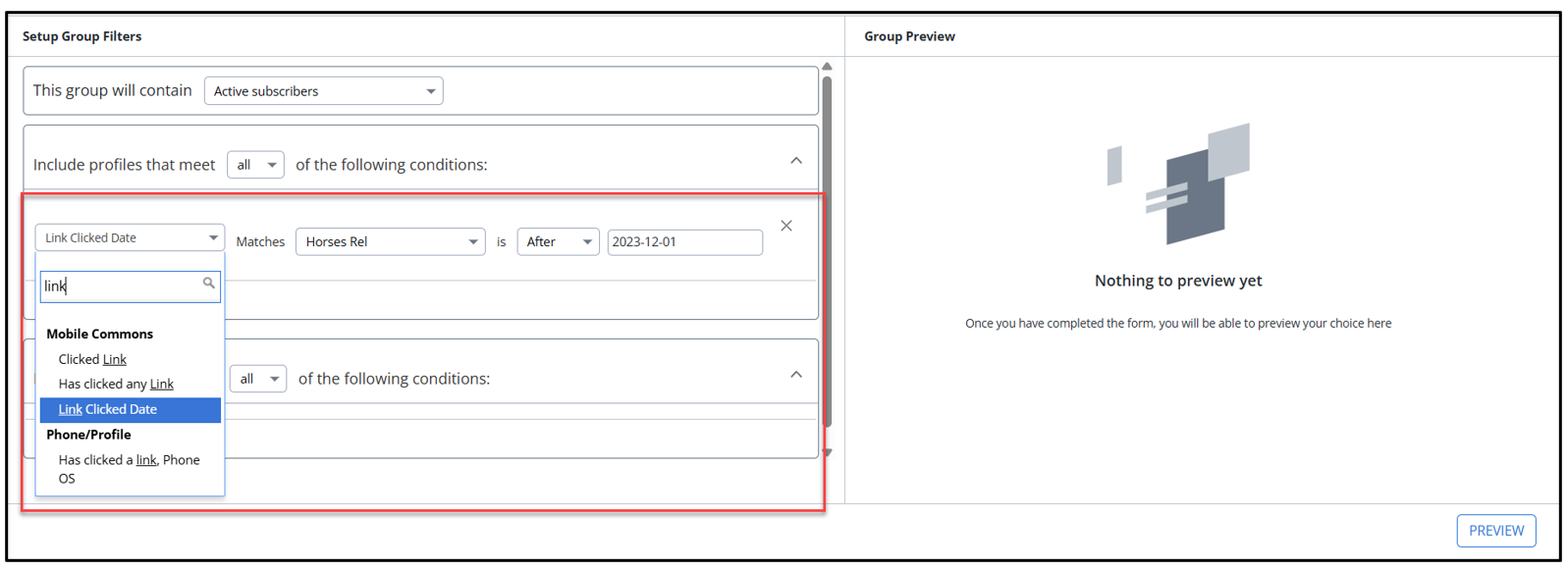
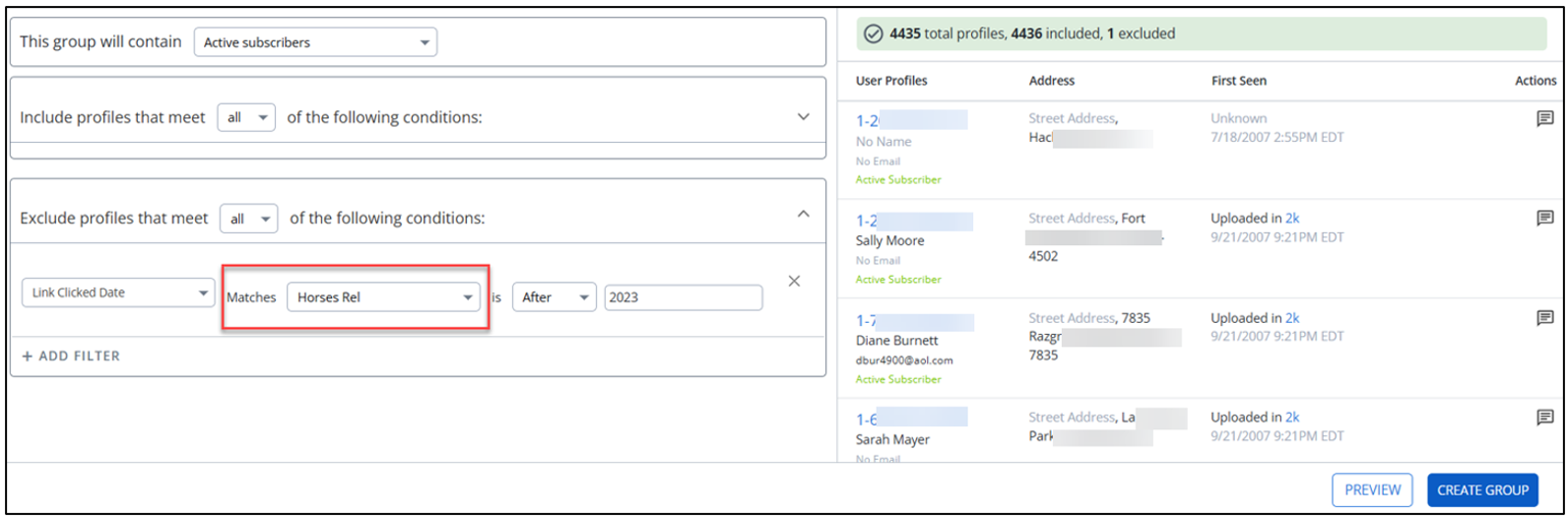
2. In the Matches field, select the link URL you want to track from the dropdown list.
3. Specify the timeframe for your filter (for example, After, Before, or On Date).
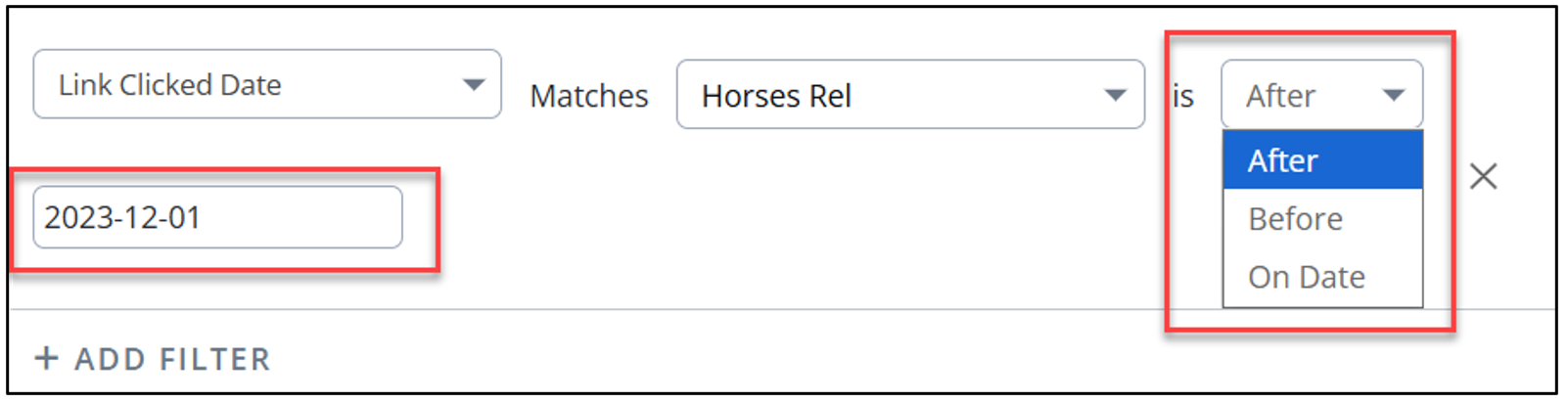
The Link Clicked Date supports relative time, for example, 5 days ago, 2 months ago, and others.
To see the results of your selections, select PREVIEW.
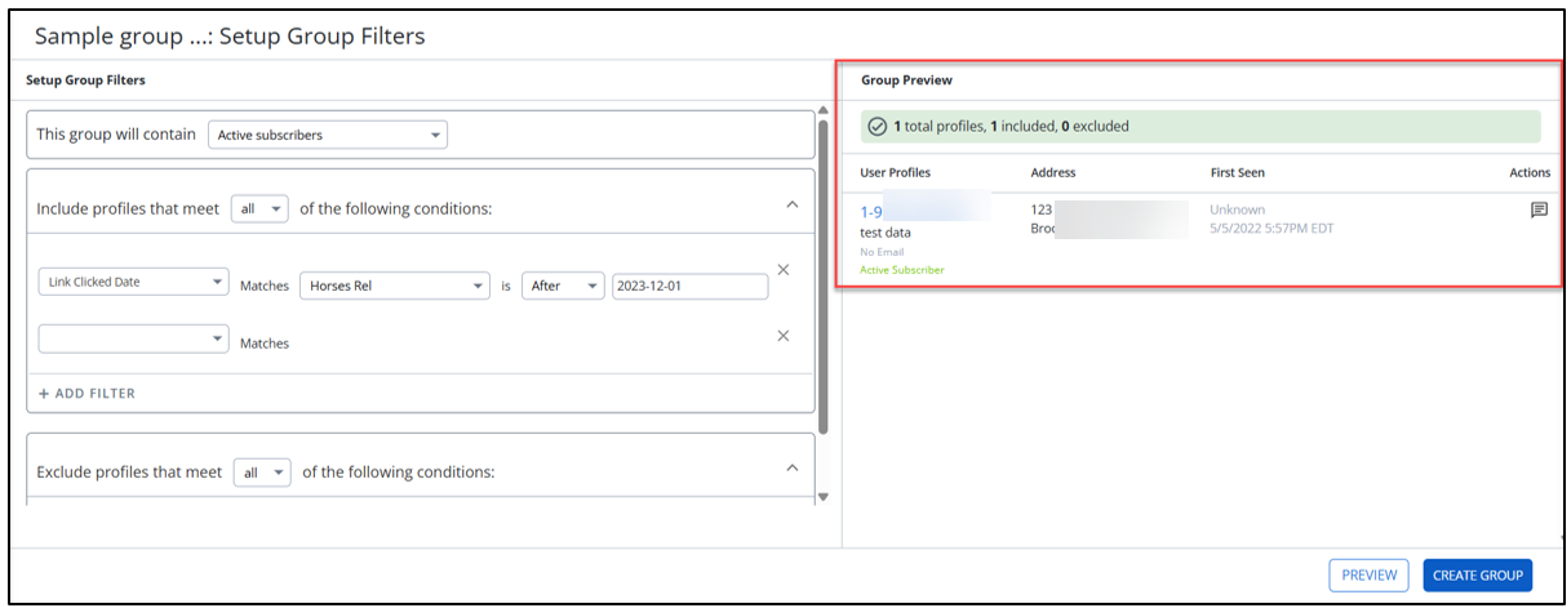
4. When you are done, select CREATE GROUP.