Actions
The Actions feature allows you to define standard response actions that can be taken when addressing customer feedback.
Accessing Actions
Navigate to Admin Settings > Recover tab > Actions to access this feature.
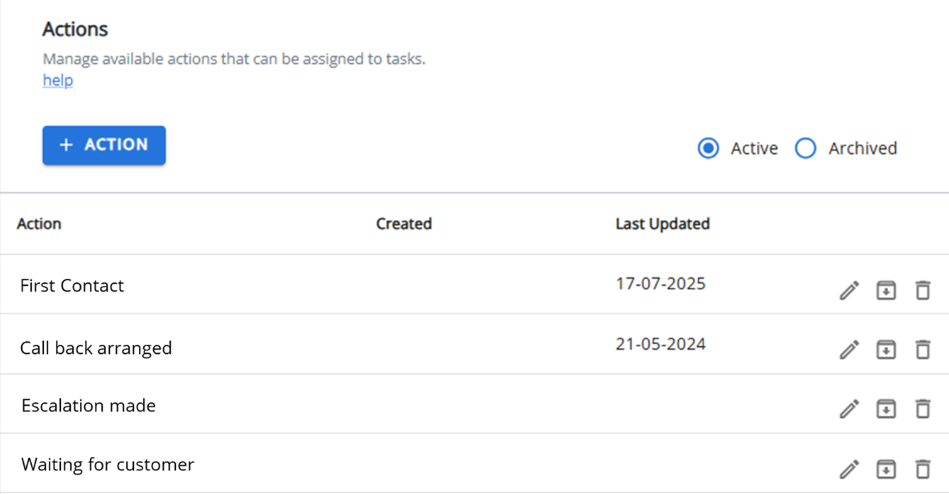
Managing Actions
From this page, you can:
-
Add new actions by clicking the +ACTION button.
-
Edit existing actions to update their descriptions.
-
Delete actions that are no longer needed (if they aren't referenced elsewhere).
-
Archive actions to maintain historical records without cluttering your active list.
-
Unarchive previously archived actions to make them active again.
Viewing Options
Toggle between Active and Archived views using the filter toggle. Use the pagination controls to adjust how many items are displayed per page (10, 25, 50, or 100).
Note: Click the help hyperlink in the page header for additional guidance on using this feature.