Fields
-
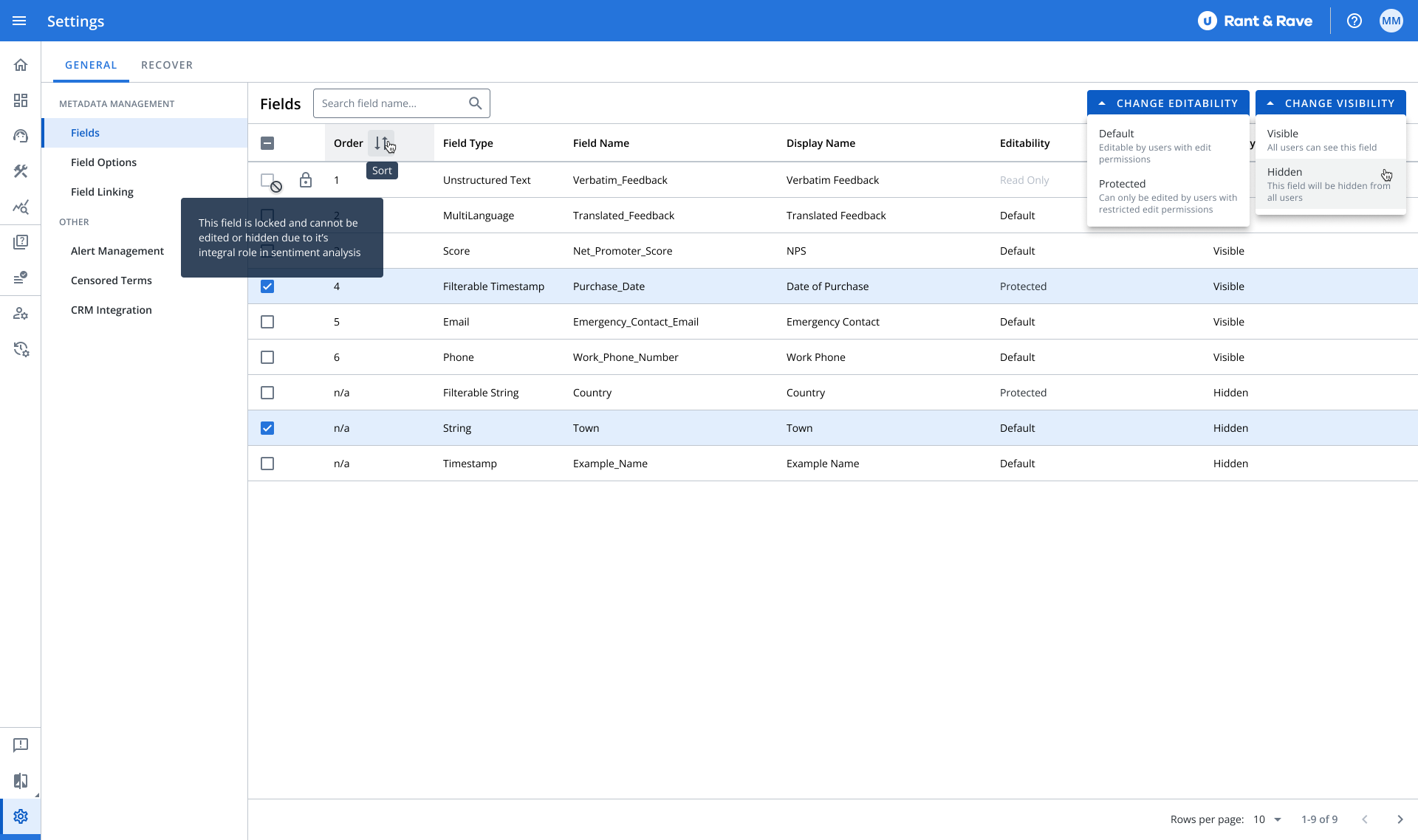
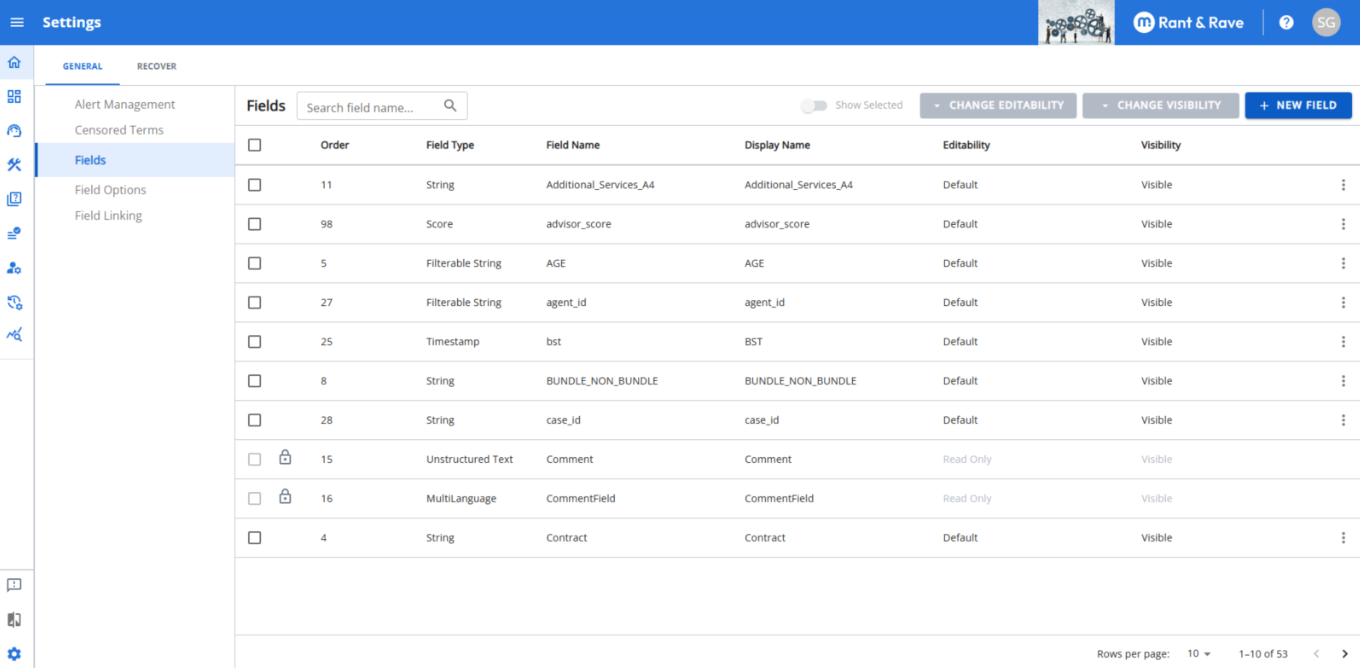
Metadata Field Management Dashboard - Access a comprehensive view of all your metadata fields through a new dedicated section in Settings. The searchable, sortable table with check-box selection makes finding and managing fields simple.
-
Real-time Visibility Controls - Administrators can now toggle individual metadata fields between "Visible" and "Hidden" status. These changes apply immediately to all users, giving you instant control over what information appears in your system.
-
Enhanced Field Protection - Protect important information by setting metadata fields as read-only. Administrators can now switch fields between "Default" (editable) and "Protected/Read-only" status to prevent unwanted modifications.
-
Integrated Metadata Management - Incorporated the Metadata Management interface directly into the Dashboard 2.0 Admin Settings page for a more streamlined experience.
These improvements are now available in your Rant & Rave environment. If you have any questions about these new features, please contact your account manager or our support team.
Metadata Field Management
New capabilities for managing metadata fields are available in your Rant & Rave dashboard. These enhancements give administrators greater control over how metadata fields appear and function across the platform.
Key Features
View All Metadata Fields
-
Access a comprehensive view of all customer metadata fields.
-
Located in Settings → Metadata Field Management.
-
Search and sort columns for easy navigation.
-
Clear indicators for each field's:
-
Type
-
Name
-
Display name
-
Editability status
-
Visibility status
-
Order
-
Control Field Editability
-
Set metadata fields as:
-
Default (editable by users).
-
Protected/Read-Only (cannot be modified).
-
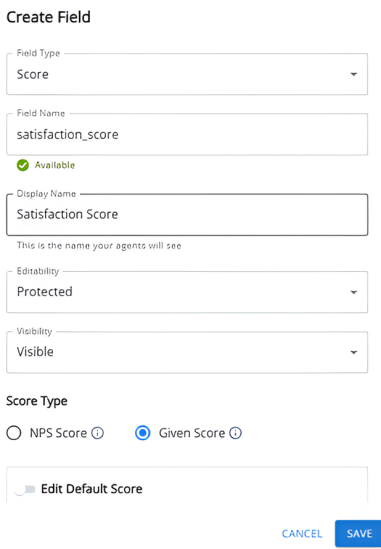
Add New Fields
Add new fields when you need to:
-
Add a new score.
-
Add additional data fields.
-
Include a new field in a new survey.
Note: Currently, there is a limit of 250 fields that you can add to your project.
Edit Existing Fields
Edit existing fields to:
-
Update the display name to a user-friendly name.
-
Change visibility, editability, or default settings of an existing field.
Delete Unused Fields
-
Remove fields and their associated data that you no longer use.
-
Changes take effect immediately.
-
Unstructured-text fields remain locked as read-only.
Manage Field Visibility
-
Toggle fields between Visible and Hidden states.
-
Changes apply in real time to all users.
-
Easily control which fields appear in your interface.
-
Unstructured-text fields remain excluded from visibility controls.
Benefits
-
Streamlined metadata management in one convenient location.
-
Greater control over data security and user access.
-
Improved organization of your metadata fields.
-
Enhanced user experience with cleaner, more relevant interfaces.
-
No technical knowledge required to make these adjustments.