Root Causes
Root Causes allows you to categorize feedback by underlying issues, helping you track and address systemic problems.
Accessing Root Causes
Navigate to Admin Settings > Recover tab > Root Causes to access this feature.
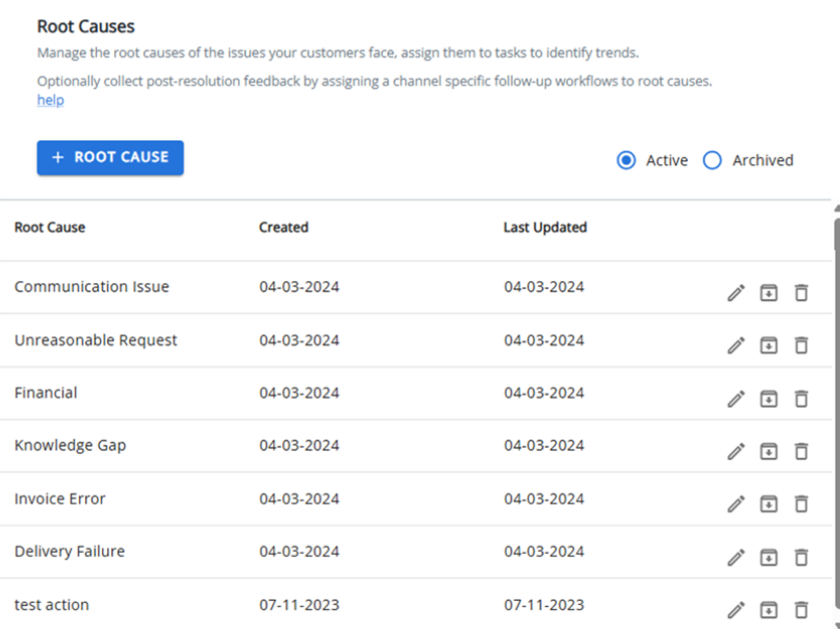
Managing Root Causes
From this page, you can:
-
Add new root causes by clicking the +ROOT CAUSE button.
-
Edit existing root causes to update their descriptions.
-
Delete root causes that are no longer needed (if they aren't referenced elsewhere).
-
Archive root causes to maintain historical records without cluttering your active list.
-
Unarchive previously archived root causes to make them active again.
Viewing Options
Toggle between Active and Archived views to manage your root causes. Note that the Archived view is read-only except for the Activate action.
Use the pagination controls to adjust how many items are displayed per page (10, 25, 50, or 100).