Analyzing subscriber activity
 ROI metrics
Here's a list of the most commonly used and helpful metrics for mobile marketing:
-
Delivery rate: The number of subscribers who received your message versus the number of subscribers you sent the message to.
-
Open rate: The number of subscribers who opened the message that you sent.
-
Click-through rate: The number of subscribers who clicked a link within your message.
-
Clicks per message: If you have more than one link in your message, the number of subscribers who clicked zero, one, or both links.
-
Post-click conversion rate: By including an action after a subscriber clicks on the link (for example, click on another link), you can track the number of subscribers who completed that action.
-
Response by list segment: Comparative response by list segment.
-
Revenue per message: The total amount of revenue generated by your campaign divided by the total number of messages sent.
-
Social sharing rate: The percent of your messages that led to increases in social media activity or traffic.
-
Coupon redemption: Use coupon codes to understand how often subscribers redeemed coupons that were delivered via mobile messages.
To access the Insights dashboard:
-
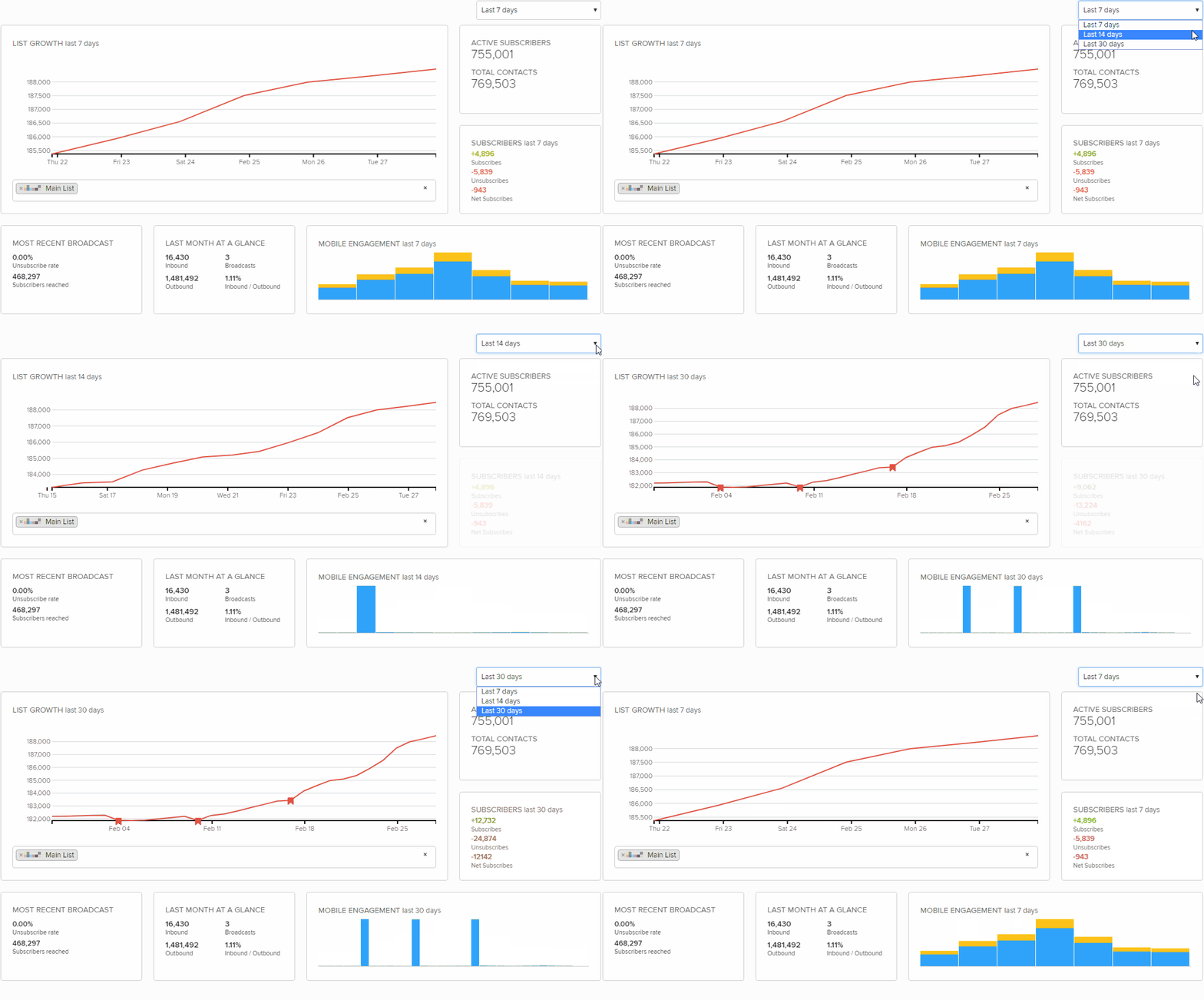
From the Reports menu, select Insights.
Tip: If this animated file does not play, select
 Refresh in your browser.
 -
In the upper-right corner, select the time frame from the drop-down list: Last 7 days, Last 14 days, or Last 30 days.
The List Growth, Subscribers, and Mobile Engagement sections are updated to match the selected time frame.
Note: The Active Subscribers, Most Recent Broadcast, and Last Month at a Glance sections update every day.
The Insights dashboard is divided into the following sections:
List Growth
The List Growth section displays the total number of subscribers, the total number of broadcasts sent, and if a shortened URL is included, the count of clicks on the shortened URL for the selected time frame.
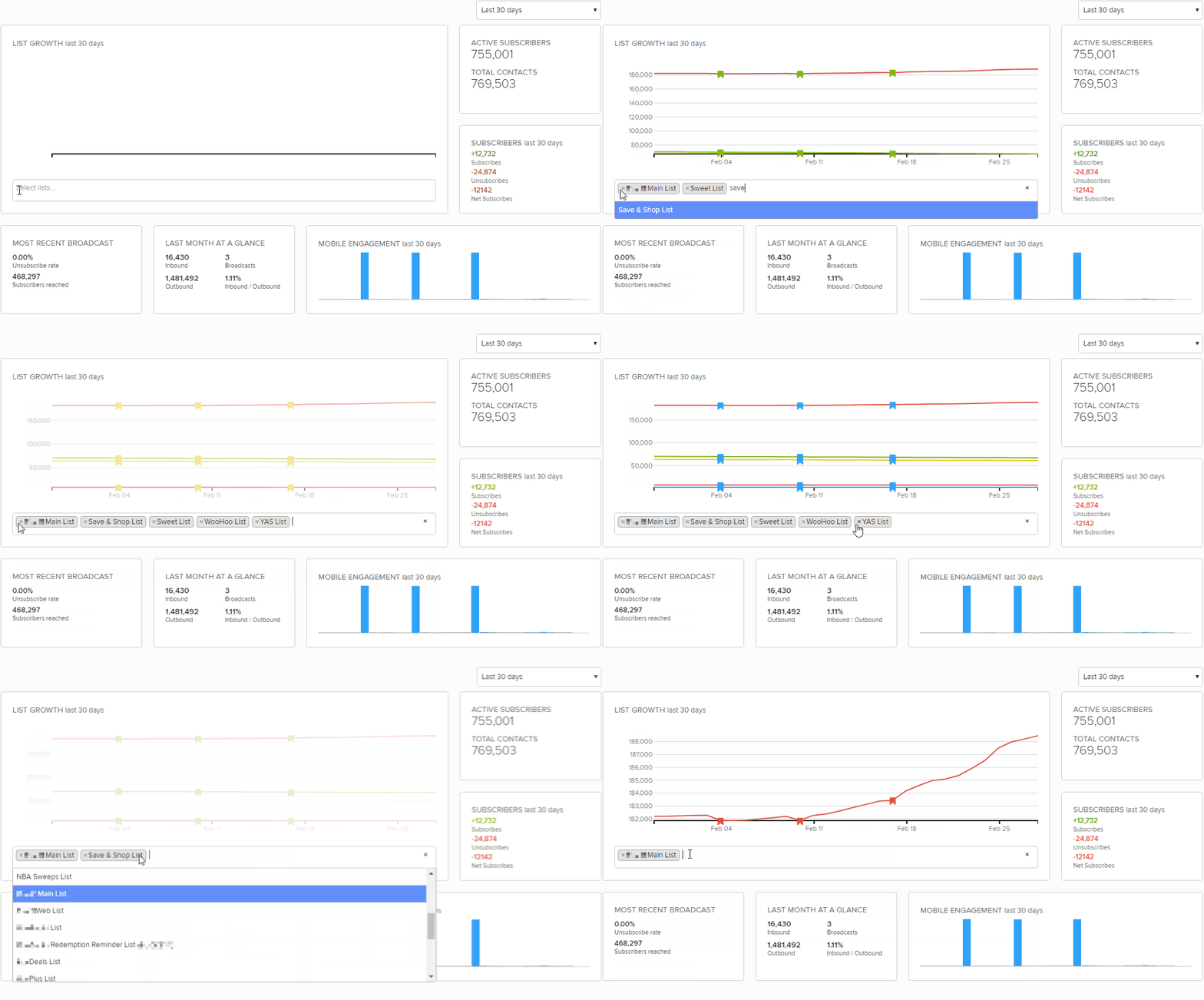
To change the selected list:
-
In the lower-left corner, select the lists field and then select one or more lists from the drop-down list.
Tip: If this animated file does not play, select
Refresh in your browser.The selected lists are added to the lists field.
-
To remove a list, select
 Delete next to the list name.
Subscribers
The top of the Subscribers section displays the number of active subscribers and total contacts (all mobile numbers that interacted with the short code or long code) for the selected lists. The bottom section displays the number of subscribers, unsubscribers, and net subscribers (subscribers minus unsubscribers) for all lists during the selected time frame.
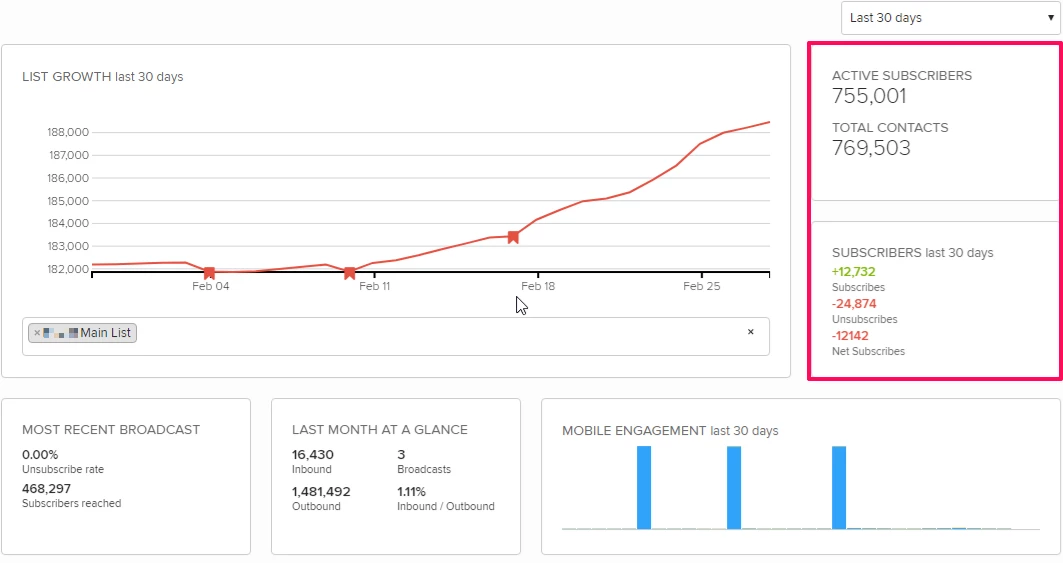
The active subscribers and subscribers metrics are generated from the Subscribers Growth report for all lists.
Mobile Engagement
The Mobile Engagement section displays the daily count for all inbound and outbound messages during the selected time frame.
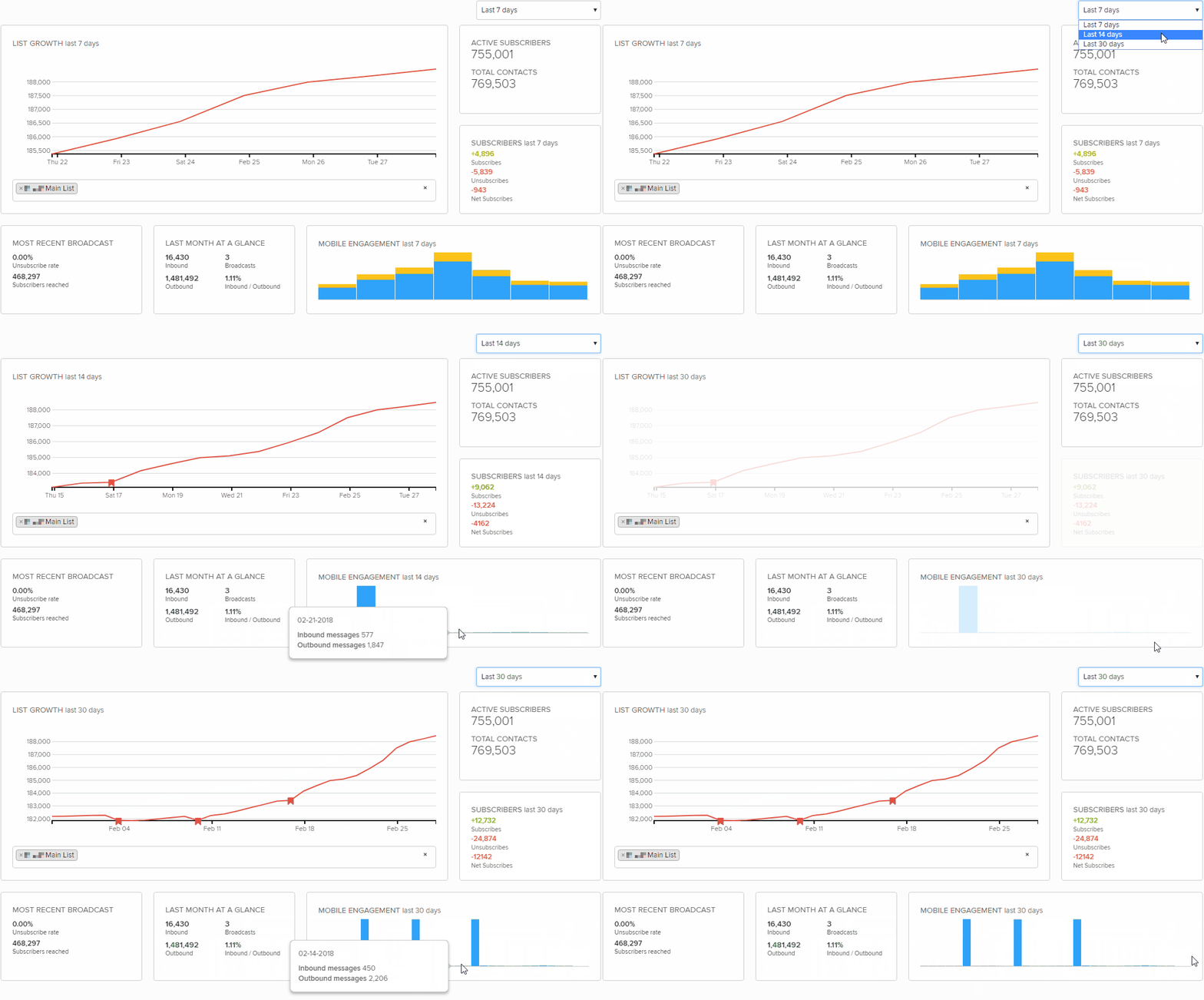
Tip: If this animated file does not play, select Refresh in your browser.
The Mobile Engagement metrics are generated from the Message Summary report for all campaigns and keywords.
Last Month at a Glance
The Last Month at a Glance section shows you the total number of Inbound messages, outbound messages, and broadcasts sent and received within the last 30 days:
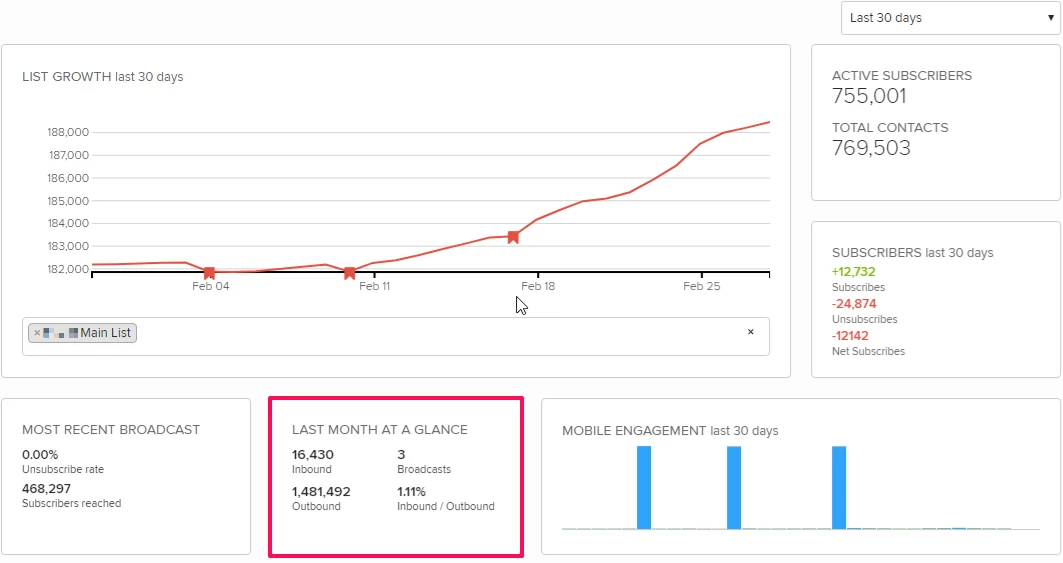
The Last Month at a Glance metrics are generated from the Message Summary report for all campaigns and keywords.
Most Recent Broadcast
The Most Recent Broadcast section shows the number of subscribers reached by the most recent broadcast messages and the rate at which recipients unsubscribed on the day of the broadcast.
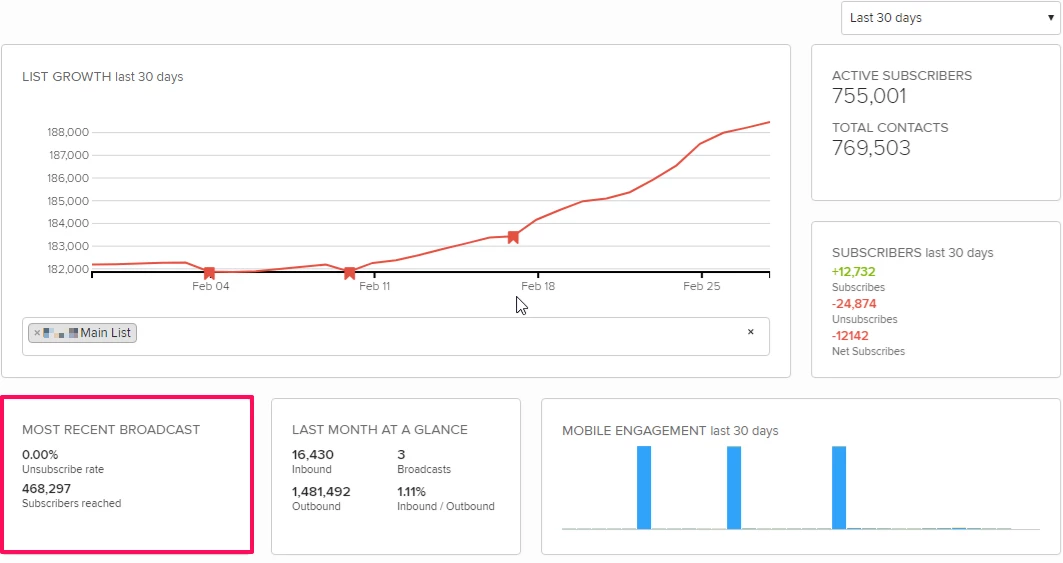
The click-through rate is available if a shortened URL is included in the broadcast message.