Reviewing scheduled reports
For a list of available report types, see Building a new report.
To review scheduled reports:
-
From the Reports menu, select Reports.
-
To view reports that will run at a set date and time, select Scheduled above the table.
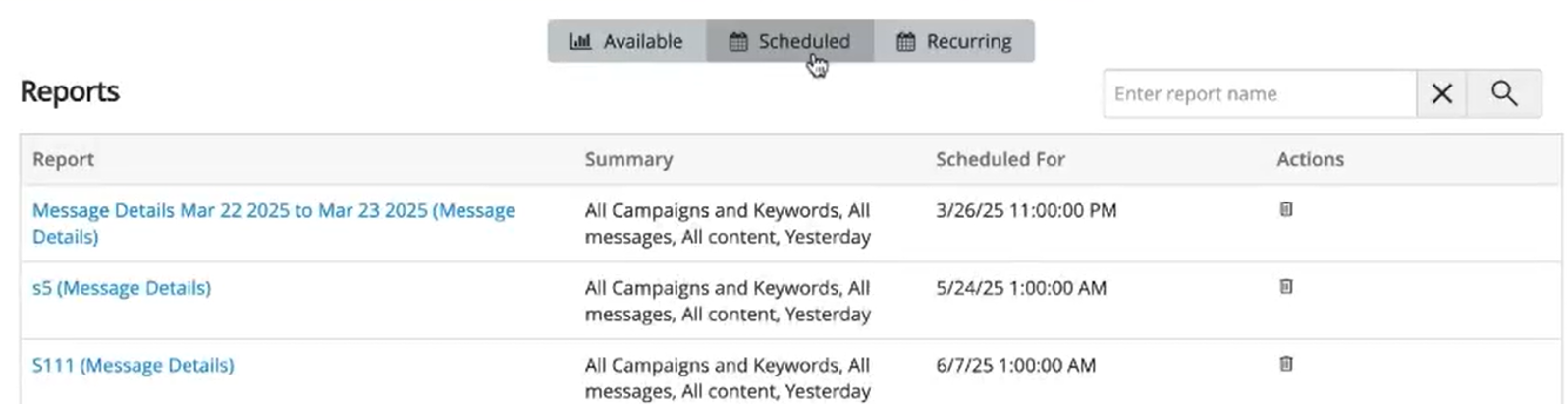
In the Scheduled Reports section, the report name is a hyperlink. This link includes the template ID in its URL, allowing users to access the exact template ID associated with a scheduled report. Clicking it opens the associated template, allowing you to edit the report. After making the necessary changes, save the report.
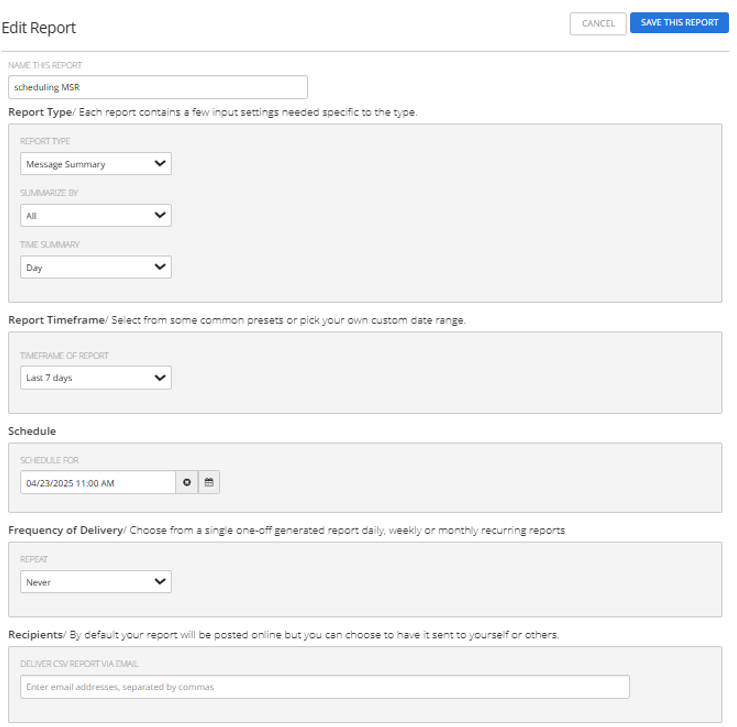
 Scheduled Reports table
The Scheduled Reports table contains the following information for every report to be run at a specific date and time:
-
The report type
-
Key information about the report
-
Date and time when the report will be generated and added to the Available Reports table
-
The action available for this report:
-
Delete
-
-
-
To locate the report in the Scheduled Reports table:
-
To search for the report, enter all or part of the campaign name in the Search box at the top of the table, and then select
 Search.
 -
To navigate a multipage Scheduled Reports table, use the pagination bar at the bottom of the table.
-
-
To delete a scheduled report, select
 Delete and then select OK to confirm.