Navigating Waterfall
When you sign in to Waterfall, you see the Campaigns table, which lists the campaigns that have been set up for your account.
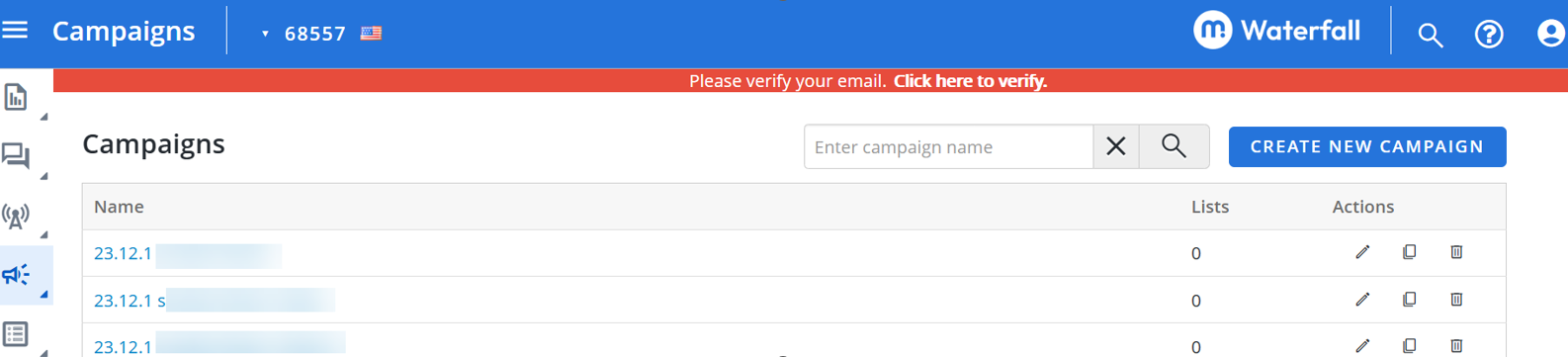
Your role determines your level of access to Waterfall data. If you have questions about your level of access, contact Technical Support (wf_support@mobilecommons.com).
From anywhere in Waterfall, you can access the following:
Title bar
The title bar is always available at the top of the page.

The following items are available on the title bar:
-
Waterfall logo, which opens the Campaigns table from anywhere in Waterfall
-
 Search for subscribers bar.
 -
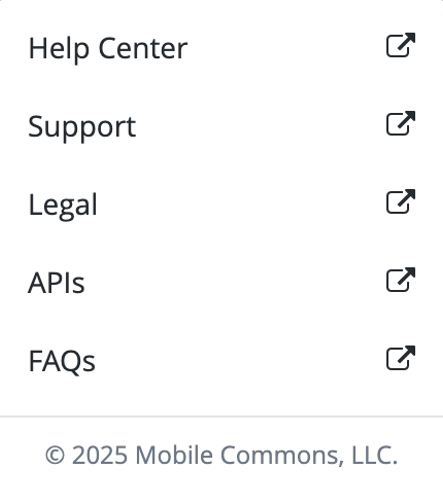
 Help with the following links:
-
API Documentation: US API Docs , UK API Docs
-
 Hamburger to expand or collapse the main menu.
 -
 Profile with a logout button.
 -
If more than one originator code is available to you, the active short or long code or alphanumeric sender ID for branding (Waterfall UK only), with a flag indicating the country of origin (United States or Canada or United Kingdom).
Tip: If only one originator code is available, select
 Settings to see the active originator code.
Main menu
The main menu is always available at the left side of the page. Select Hamburger to expand or collapse the main menu.
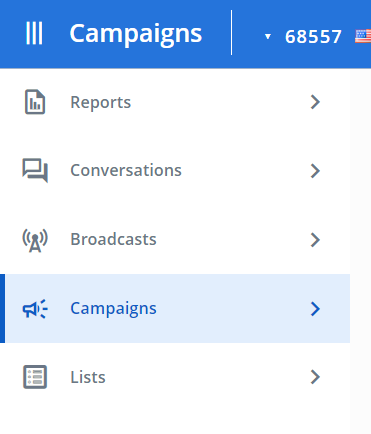
The following options are available on the main menu:
| Main menu | Submenu | Action |
|---|---|---|
| Reports | Insights | Review metrics on subscriber interactions so you can assess the success of your mobile messaging campaigns. |
| Reports | Build a variety of reports based on subscriber interactions with your campaigns. | |
| Conversations | Communicate directly with an individual subscriber, resolve mismatched messages, and fix profile issues. | |
| Broadcasts | Send | Create a new broadcast message. |
| Scheduled | Review messages that are ready to be sent at a specified date and time. | |
| Campaigns | Campaigns | Establish a conversation with mobile users so you can promote your product or organization directly to subscribers. |
| Keywords | Review keywords assigned to double opt-in messaging campaigns. | |
| Coupons | Manage special offers available for your messaging campaigns. | |
| Sweepstakes | Promote interest in your product by running sweepstakes contests for subscribers. | |
| Lists | Lists | Manage recipient lists for campaign messaging. |
| Smart Segments | Filter recipient lists using profile field data. | |
| Uploads | Add subscriber data to your company database in Waterfall | |
| Metadata | Add data fields to store subscriber data in user profiles. |
Note: Unless otherwise noted, in Waterfall, date and phone number formats reflect the standard formats used in the United States or in the United Kingdom; for example, the standard date format is MM/DD/YYY in Waterfall (US and Canada) and DD/MM/YYYY in Waterfall (UK).
 Settings is available at the left-hand corner of the page (below the main menu).